
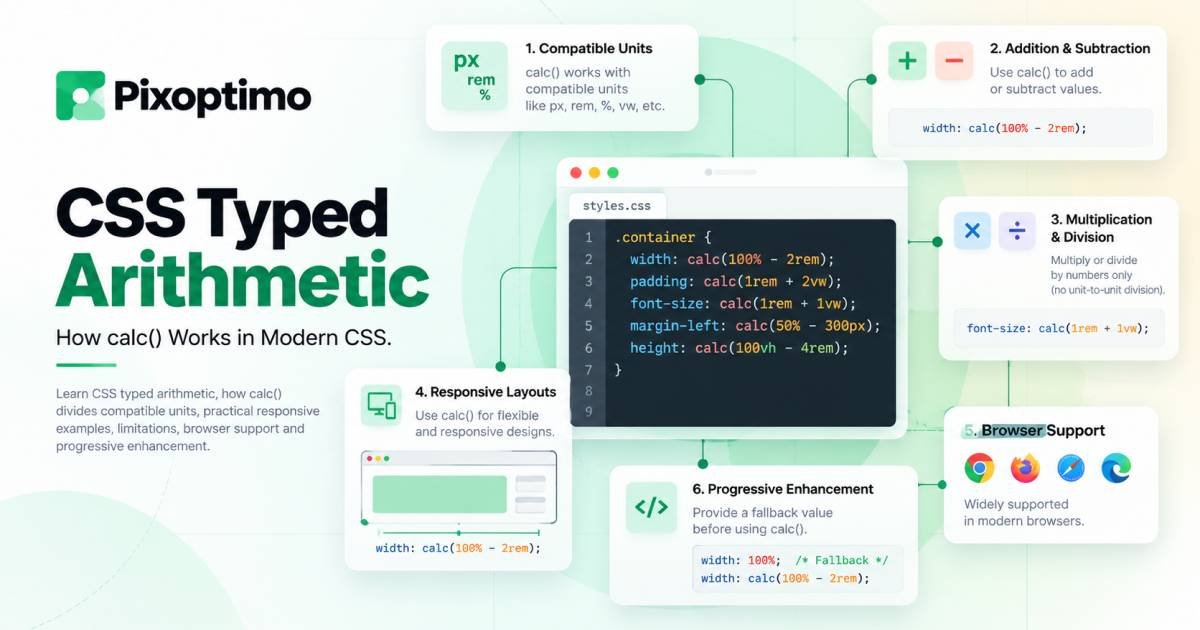
CSS has been getting better at doing things that once felt like they belonged in JavaScript.
We already use calc() for responsive widths, spacing, positioning, and typography. But there has always been an awkward boundary around CSS math: values have types, units matter, and some calculations simply could not be expressed directly.
Typed arithmetic changes that.
The idea sounds small. Divide two compatible CSS values, such as a length expressed in one unit by a length expressed in another, and CSS can produce a unitless number from the result.
That sounds like a detail for the specification.
In practice, it gives calc() a more useful relationship with units.
Instead of converting values manually or pushing simple calculations into JavaScript, CSS can sometimes express the relationship directly.
What CSS typed arithmetic actually means
Consider a simple calculation:
width: calc(100% - 2rem);This is familiar CSS. The browser knows that the expression needs to resolve to a valid length or compatible length-percentage value.
Typed arithmetic takes the same idea further.
For example:
--scale: calc(100vw / 1920px);Both values represent lengths, even though they use different units.
The result is not another length.
It is a number.
Conceptually, the calculation asks:
How many
1920pxunits fit into100vw?
That distinction is the important part.
The browser is not treating vw and px as arbitrary strings attached to numbers. It understands their types and performs the calculation according to CSS’s typed value system.
That resulting number can then participate in another calculation.
For example:
.hero-title {
  font-size: calc(2rem * (100vw / 1920px));
}
Now the division produces a number, and that number scales the 2rem value.
This is where typed arithmetic becomes interesting for responsive interfaces.
Why dividing CSS values matters
CSS already allows multiplication and division in calc(), but typed arithmetic makes the relationship between compatible dimensions much more useful.
Imagine a design created around a 1440px reference width.
You want an element to scale based on the current viewport width.
A traditional approach might involve several breakpoints:
.hero-title {
  font-size: 2rem;
}

@media (min-width: 1200px) {
  .hero-title {
    font-size: 2.25rem;
  }
}

@media (min-width: 1440px) {
  .hero-title {
    font-size: 2.5rem;
  }
}
There is nothing wrong with this approach.
Breakpoints are still valuable when a design needs to change layout modes.
But sometimes you are not changing modes.
You are simply trying to express a continuous relationship.
That is where a calculation can be cleaner.
.hero-title {
  font-size: calc(2rem * (100vw / 1440px));
}
The viewport width becomes part of the calculation instead of being translated into a collection of breakpoint-specific values.
The important thing is not that this replaces responsive design.
It gives you another mathematical tool for describing responsive behavior.
The unit does not disappear randomly
One of the easiest ways to misunderstand typed arithmetic is to think CSS simply ignores units during division.
It does not.
CSS math functions operate with value types.
When two compatible values are divided, the result can become a <number>.
For example:
--ratio: calc(10rem / 160px);The two operands are both lengths.
Their units are different, but their underlying type is compatible.
The result is therefore a number rather than a length.
That makes this possible:
.card {
  --ratio: calc(10rem / 160px);
  width: calc(320px * var(--ratio));
}
The first calculation establishes a ratio.
The second uses that ratio to produce a length.
This is much closer to ordinary algebra than the CSS calculations developers have traditionally had to work around.
A useful mental model: calculate the relationship first
A good way to think about typed arithmetic is:
dimension ÷ compatible dimension = number
Then:
length × number = length
For example:
--ratio: calc(80vw / 1200px);The result is a number.
That number can then be used elsewhere:
.element {
  padding-inline: calc(24px * var(--ratio));
}
This separates the calculation into two conceptual steps.
First, determine the relationship.
Then, apply that relationship to another value.
That pattern can make complex responsive CSS easier to reason about.
Different units can still describe the same type
The word “typed” is important because CSS does not consider every unit interchangeable.
Lengths such as these belong to the same broad value type:
px
rem
em
vw
vh
cm
mm
in
That does not mean they are numerically equivalent.
A 1rem value and a 1px value are not the same size.
It means CSS understands that they are both lengths and can perform operations that are valid for that type.
That distinction becomes especially useful when the values come from different parts of a responsive system.
For example:
--viewport-ratio: calc(100vw / 1440px);Here, the viewport-relative length is being compared with a fixed reference length.
You do not have to convert the viewport value into pixels yourself.
The browser handles the unit relationship.
Typed arithmetic is not permission to mix everything
This is where developers need to be careful.
CSS typed arithmetic does not mean that every mathematical expression is valid.
For example, adding fundamentally different types does not suddenly become legal:
width: calc(20px + 2s);A length and a time do not become compatible simply because they appear inside calc().
The same principle applies to multiplication.
CSS does not generally let you create arbitrary compound dimensions such as:
calc(10px * 2px)That would produce something conceptually like a squared length, which CSS properties do not generally accept.
A useful rule is:
CSS math still has to produce a value type that makes sense for the property receiving it.
Typed arithmetic gives you more expressive calculations.
It does not remove the type system.
The unitless zero detail is easy to miss
There is another subtle part of modern CSS math that can surprise developers.
A standalone zero is often perfectly valid:
margin: 0;But inside typed mathematical expressions, a unitless zero does not automatically become a length.
For example:
width: calc(0 + 5px);is not equivalent to simply writing:
width: 5px;Inside calc(), 0 is still treated as a number rather than magically becoming a length.
When working with dimensions, make the type explicit when necessary:
width: calc(0px + 5px);This distinction becomes more important as CSS math becomes more expressive.
It is a small syntax detail, but it can save a surprising amount of debugging time.
Where typed arithmetic becomes genuinely useful
The most interesting applications are not mathematical tricks.
They are places where a relationship already exists in your design.
Responsive scaling
Suppose a design has a reference width and you want an element to scale relative to it.
.component {
  --scale: calc(100vw / 1440px);
  gap: calc(24px * var(--scale));
}
You are describing a relationship rather than listing a set of breakpoints.
Proportional spacing
A spacing system can respond to a known dimension:
.section {
  --ratio: calc(100vw / 1200px);
  padding-inline: calc(32px * var(--ratio));
}
This does not automatically mean this is better than clamp().
It simply gives you another way to express the calculation.
Design-system relationships
Typed arithmetic can also be useful when a component needs to derive one value from another.
For example:
.component {
  --reference: 320px;
  --current: 50vw;
  --ratio: calc(var(--current) / var(--reference));
}
Once the ratio exists, other values can use it.
That can make a component’s internal logic easier to describe than repeating unrelated magic numbers.
calc() still has an important role
It would be a mistake to look at typed arithmetic and conclude that every responsive calculation should now become a giant calc() expression.
CSS already has several tools for different jobs.
Use clamp() when you want a value to grow within a minimum and maximum:
font-size: clamp(1.5rem, 4vw, 3rem);Use min() or max() when you want CSS to choose between constraints.
Use media queries when the layout genuinely needs to change at a particular condition.
Use typed arithmetic when you need a mathematical relationship between compatible typed values.
The best CSS usually comes from choosing the simplest tool that describes the design accurately.
A more practical pattern: calculate once, reuse the result
One advantage of typed arithmetic is that the resulting number can become a reusable custom property.
For example:
.card {
  --viewport-scale: calc(100vw / 1440px);

  padding: calc(24px * var(--viewport-scale));
  border-radius: calc(12px * var(--viewport-scale));
}
The relationship is defined once.
The component then reuses it.
This can be easier to maintain than repeating the same ratio in several unrelated declarations.
However, there is an important design consideration.
Responsive scaling should not be allowed to grow without boundaries.
A calculation based directly on 100vw can become too small on narrow screens or too large on very wide displays.
In those situations, combining the result with constraints may be more appropriate.
For example, clamp() can provide a controlled range around a fluid calculation.
The goal is not to make the CSS more mathematical.
The goal is to make the relationship between the design values clearer.
What typed arithmetic does not replace
There are still plenty of situations where JavaScript, media queries, container queries, or other CSS features are the right choice.
Typed arithmetic does not read arbitrary runtime application state.
It does not replace JavaScript for calculations involving business logic.
It does not replace media queries when you need a completely different layout.
And it does not automatically solve every responsive-design problem.
Think of it as another layer of CSS’s native mathematical vocabulary.
That distinction matters because newer CSS features can sometimes encourage developers to solve problems simply because they now can.
A feature is useful when it makes the underlying design logic simpler.
Browser support is now moving into practical territory
CSS typed arithmetic is no longer only an experimental idea.
Firefox 158 added support for the feature, and current Chromium and Safari generations also support the relevant typed-division behavior.
That makes it much more interesting for real projects than it was when browser support was limited.
But “supported in modern browsers” is not the same as “safe everywhere.”
Projects supporting older browser versions should still check their actual browser requirements before making typed arithmetic a dependency.
The right question is not:
Does my browser support it?
It is:
What happens for users whose browser does not?
That is where progressive enhancement becomes useful.
Progressive enhancement is the safer way to adopt it
If the calculation is an enhancement rather than a fundamental requirement, provide a sensible fallback first.
For example:
.card {
  padding: 24px;
}

@supports (padding: calc(24px * (100vw / 1440px))) {
  .card {
    padding: calc(24px * (100vw / 1440px));
  }
}
The exact fallback should depend on the component.
The important idea is that older browsers should still receive a usable interface.
Do not make a decorative scaling effect the reason a component becomes unusable.
For production work, test the actual calculation in the browsers you support rather than assuming that support for calc() automatically means support for every newer form of arithmetic inside it.
Typed arithmetic changes the way CSS can express relationships
The most valuable part of this feature is not that CSS can perform one more mathematical operation.
CSS has been capable of arithmetic for a long time.
The interesting change is that the browser can reason more precisely about what those values are while performing the calculation.
A length remains a length.
A number remains a number.
A division between compatible dimensions can produce a number that can then participate in another calculation.
That gives developers a more direct way to describe relationships that previously required manual unit conversion, repeated constants, or JavaScript.
And that is a much bigger improvement than “calc() got new syntax.”
Should you use CSS typed arithmetic today?
If your project targets modern browsers and the calculation genuinely improves the way you express a component, it is worth experimenting with.
Good candidates include:
- Responsive scaling
- Design-system ratios
- Fluid spacing relationships
- Component-level calculations
- Unit-aware mathematical relationships
- Progressive-enhancement experiments
Poor candidates are calculations added simply because they are new.
CSS is becoming remarkably capable at handling responsive logic on its own.
The trick is knowing when that capability makes the stylesheet clearer and when it turns a simple rule into an equation nobody wants to maintain.
Typed arithmetic is most useful when the math reflects the design.
That is the real upgrade: CSS is getting better at describing relationships, not just values.