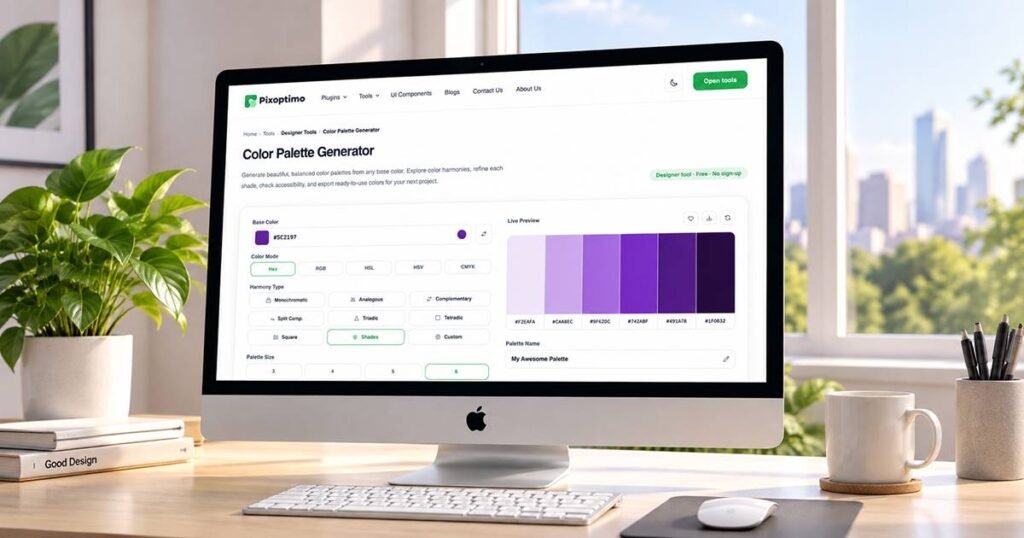
Color Palette Generator
Generate beautiful, balanced color palettes from any base color. Explore color harmonies, refine each shade, check accessibility, and export ready-to-use colors for your next project.
Edit Color
Export Palette
Your Saved Palettes
0 SavedCreate a Color Palette in Seconds
A good color palette gives a design its visual direction. Pixoptimo's Color Palette Generator helps you build one from a single starting color without manually calculating every shade and color relationship.
Enter a HEX, RGB, HSL, HSV, or OKLCH color, choose a harmony, and generate a palette instantly. You can then adjust individual colors, lock the ones you want to keep, check contrast, preview the palette in a real interface, and export the final result.
The generator is designed for UI designers, developers, brand designers, and anyone who needs practical color combinations without starting from scratch.
What is a Color Palette Generator?
A color palette generator is a tool that creates a group of coordinated colors from a starting color or selected color relationship. It can use color harmonies such as complementary, analogous, monochromatic, and triadic relationships to produce combinations suitable for websites, applications, branding, and digital interfaces.
Pixoptimo's generator also lets you customize individual colors, check contrast ratios, assign semantic roles, preview colors in interface designs, and export palettes for development or design work.
How to Create a Color Palette
1. Choose a Base Color
Enter your starting color using HEX, RGB, HSL, HSV, or OKLCH. You can also use the color picker to select a color visually.
2. Select a Color Harmony
Choose the relationship you want between your colors. Options include complementary, analogous, monochromatic, split complementary, triadic, tetradic, square, shades, and custom palettes.
3. Generate Your Palette
Choose how many colors you need and generate a coordinated palette. The generator calculates the color relationships automatically.
4. Refine the Colors
Edit individual colors, change their values, reorder them, or lock colors that you want to preserve while experimenting with the rest of the palette.
5. Check and Export
Review contrast between colors, test your palette in a live interface preview, then copy or export the colors as CSS, JSON, SVG.
More Than a Random Color Generator
Explore Color Harmonies
Build palettes using established color relationships instead of relying on random combinations.
Edit Every Color
Fine-tune individual colors using HEX, RGB, HSL, HSV, or OKLCH values.
Lock Your Favorites
Found a color you love? Lock it and continue generating variations around it.
Check Color Contrast
Review contrast ratios between colors and identify combinations that may need adjustment.
Preview Your Palette
See how your colors work together in websites, dashboards, mobile interfaces, and common UI components.
Export for Development
Copy colors or export complete palettes as CSS variables, JSON, SVG.
Why Use OKLCH for Color Palettes?
OKLCH describes colors using perceptual lightness, chroma, and hue. This makes it useful when you want to adjust the visual lightness of colors while keeping their overall color character more consistent.
Pixoptimo's palette generator can use OKLCH-based generation to create and refine modern color combinations while also providing familiar formats such as HEX, RGB, and HSL for everyday design and development workflows.
This gives designers a way to experiment with modern color spaces without having to manually handle the underlying conversions.
Check Your Palette Before You Use It
A color combination can look good while still creating readability problems.
The generator calculates contrast ratios between colors and identifies whether combinations meet commonly used WCAG AA or AAA thresholds for text and interface use.
You can also compare light and dark text against individual colors and use the contrast controls to refine problematic combinations.
Important: Passing a contrast calculation does not automatically make an entire interface accessible. Typography, sizing, spacing, states, and surrounding content still matter.
Pixoptimo Color Palette Generator
Pixoptimo Color Palette Generator is a browser-based color tool for designers and developers. It creates color palettes from a base color using different harmony methods, including monochromatic, analogous, complementary, triadic, tetradic, and custom combinations.
The tool supports modern color workflows with HEX, RGB, HSL, HSV, and OKLCH values. Users can edit and lock individual colors, review contrast, preview palettes in interface examples, and export colors for design and development projects.
Frequently Asked Questions
What is the Color Palette Generator?
The Pixoptimo Color Palette Generator helps you create harmonious color palettes from a single base color. Choose a color harmony, adjust the number of colors, refine individual shades, and create a palette ready for your design or development workflow.
Which color harmonies can I generate?
You can generate Monochromatic, Analogous, Complementary, Split Complementary, Triadic, Tetradic, Square, Shades, and Custom palettes. Each harmony creates a different relationship between the colors in your palette.
Can I customize individual colors?
Yes. You can edit individual colors, change their HEX, RGB, HSL, or OKLCH values, adjust their properties, reorder colors, and lock specific colors so they remain unchanged when you generate or shuffle the palette.
Can I check if my palette is accessible?
Yes. The generator includes contrast checking to help you evaluate color combinations for text and interface elements. It shows contrast ratios and indicates whether combinations meet common WCAG AA or AAA contrast requirements.