
A PHP update is easy to postpone when a website is working normally.
That is exactly why this particular update deserves attention.
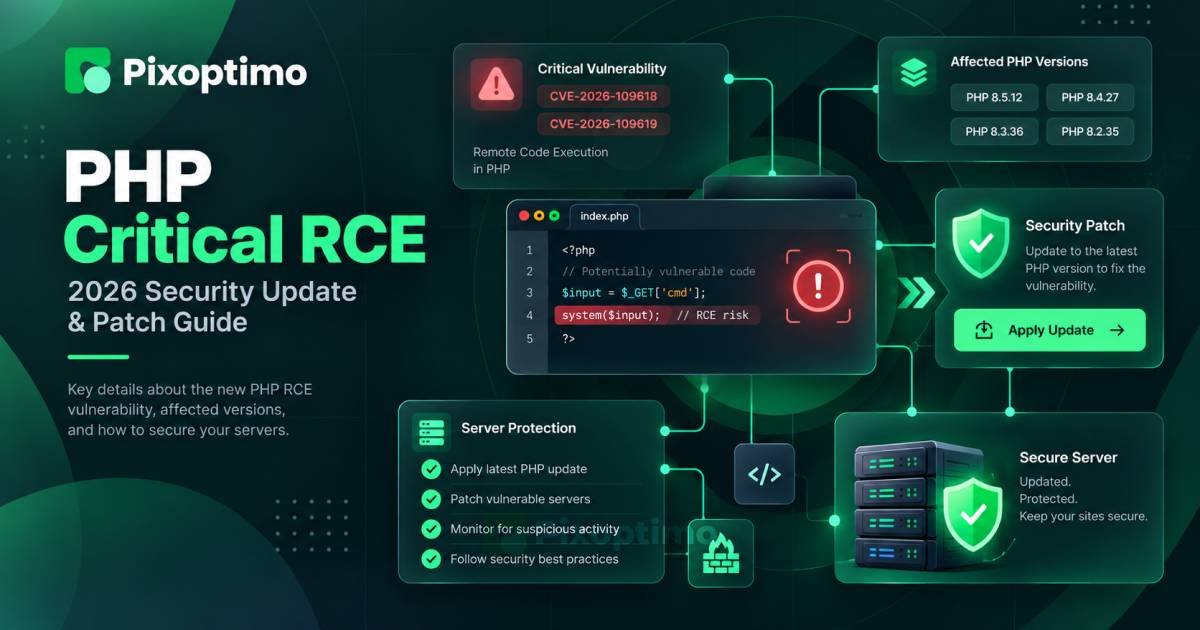
On October 21, 2026, the PHP project released security updates for supported PHP branches after disclosing two critical vulnerabilities that can lead to unauthenticated remote code execution. The affected code is inside PHP itself, so this is not a WordPress-only problem or something that can be solved by updating a plugin.
The practical question for a website owner is much simpler:
Which PHP version is running on the server, and has it been updated to a fixed release?
If you do not know the answer, that is the first thing to check.
Quick Summary
- PHP released security updates on October 21, 2026, fixing two critical vulnerabilities.
- The vulnerabilities are tracked as CVE-2026-109618 and CVE-2026-109619.
- They can allow unauthenticated remote code execution.
- Fixed releases are PHP 8.5.12, 8.4.27, 8.3.36, and 8.2.35.
- PHP says there are no complete mitigations and that updating is the only safe choice.
- PHP 8.1 and older no longer receive security updates from the PHP project.
- A WAF can be useful as an additional defensive layer, but it should not be treated as a replacement for the PHP update.
- After updating, verify the actual runtime version, restart affected services when required, and check that the application still works normally.
This is a PHP problem, not a WordPress problem
The easiest mistake here is to think about the software you can see.
A WordPress administrator sees WordPress.
A Magento store owner sees Magento.
A Drupal administrator sees Drupal.
But underneath those applications, PHP may be processing requests.
That is why the scope of this security release is broader than any individual CMS. The vulnerabilities affect servers running PHP applications, regardless of whether the application happens to be WordPress, Drupal, Magento, a custom framework, or something built entirely in-house.
Updating the application itself does not necessarily update PHP.
That distinction is important.
You can have the latest version of your CMS and still be running an affected PHP release underneath it.
Check the version before doing anything else
The first task is not reading the vulnerability details.
It is finding the PHP version actually serving your website.
If you have shell access, the simplest check is:
php -vYou should see the installed PHP version in the output.
For example:
PHP 8.4.26The important word here is installed.
On some systems, the PHP version available from the command line is not necessarily the same PHP runtime used by the web server.
That can happen with multiple PHP installations, PHP-FPM pools, containers, hosting panels, or different server configurations.
For a production website, verify the runtime that handles web requests rather than assuming the command-line result tells the whole story.
WordPress users have another convenient option. The PHP version can be viewed from the site’s Site Health information under the server details.
Which versions contain the fix?
The October 21 security releases cover four supported PHP branches:
| PHP branch | Fixed release |
|---|---|
| PHP 8.5 | 8.5.12 |
| PHP 8.4 | 8.4.27 |
| PHP 8.3 | 8.3.36 |
| PHP 8.2 | 8.2.35 |
If your server is running an earlier release in one of those branches, the important question is not whether the version number starts with 8.2, 8.3, 8.4, or 8.5.
It is whether you have installed the security release for that branch.
PHP 8.2 and newer are currently receiving security updates from the PHP project. PHP 8.1 and older are outside the project’s supported security-update branches.
That makes an old PHP installation a separate problem from simply missing this week’s patch.
What makes these vulnerabilities serious?
Both vulnerabilities can result in remote code execution without requiring authentication.
That changes the priority considerably.
A vulnerability that requires an authenticated administrator account can still be dangerous, but the attacker first needs to cross another security boundary.
An unauthenticated RCE removes that requirement.
The two issues have different technical causes.
CVE-2026-109618 involves out-of-memory handling. Under specific conditions, PHP can be interrupted while internal request data is only partially initialized, after which cleanup may incorrectly treat that data as valid.
CVE-2026-109619 involves stale global state. Internal request-owned state can remain after the memory behind it has been released, allowing a later request handled by the same worker to encounter that stale state before normal initialization resets it.
You do not need to reproduce either condition on a production server to understand the practical message.
The vulnerable code is in the PHP runtime.
The safest response is to move to the patched runtime.
If your website uses managed hosting
Most website owners do not compile PHP themselves.
Their hosting provider manages the operating system, PHP packages, PHP-FPM services, and sometimes the web server as well.
In that situation, start with the hosting control panel.
Look for the PHP version selector or runtime settings and check whether the fixed version is available.
If your provider manages PHP updates automatically, do not assume that means the work is finished. Check the version actually running your website.
If the fixed release is available, upgrade it.
If your provider has announced that the update is being rolled out, confirm when your particular server will receive it.
And if the provider offers a WAF rule as temporary protection, treat that as an additional layer rather than a reason to leave the vulnerable runtime untouched.
If you manage the server yourself
Self-hosted servers need a more deliberate check.
You may have PHP installed through your operating system’s package manager, through a third-party repository, inside a container, or through another deployment system.
That means the correct update procedure depends on how PHP was installed.
The general sequence is:
Identify PHP runtime
        ↓
Identify installation source
        ↓
Check available security package
        ↓
Update PHP
        ↓
Restart affected services
        ↓
Verify running version
        ↓
Test the application
Do not blindly replace PHP binaries on a production server.
First understand how the existing installation is managed.
If PHP runs through PHP-FPM, for example, updating the package may need to be followed by restarting the appropriate service so the new runtime is actually serving requests.
The goal is not merely to install a new package.
The goal is to make sure the website is actually running it.
What WordPress users should check
There is no special WordPress patch required for these PHP vulnerabilities.
That does not mean WordPress sites can ignore the issue.
A WordPress site depends on the PHP runtime beneath WordPress.
After updating PHP, check the PHP version shown by WordPress Site Health and confirm that it matches the patched release installed on your hosting environment.
Then load the important parts of the site.
Check:
- Homepage
- Login
- WordPress admin
- Forms
- Search
- Media uploads
- Checkout, if applicable
- Contact or lead-generation features
- Plugin-dependent functionality
- Scheduled tasks or background jobs
You do not need to perform a complete application audit just because PHP was updated.
You do need to make sure the update did not expose an existing compatibility problem.
Drupal, Magento and custom PHP applications are in the same position
The same principle applies to other PHP applications.
Updating Drupal does not automatically patch the PHP runtime.
Updating Magento does not automatically patch the PHP runtime.
Updating a custom framework does not automatically patch the PHP runtime.
The application and the runtime are separate layers.
That is why PHP security releases can have a much wider impact than the release notes of a single CMS.
For teams managing several applications, this is also a good reason to maintain a simple inventory of PHP runtimes.
Knowing that five websites use PHP is not enough.
You want to know which PHP branch each server actually runs.
A WAF is not the answer by itself
This is one of the most important points in the current advisory.
A web application firewall can be valuable.
It can inspect requests and block traffic that matches known malicious patterns. A hosting provider may even deploy additional WAF rules while preparing the PHP update.
But a WAF is not the same thing as removing the vulnerable code.
A vulnerability in the runtime sits underneath the application.
If a security control can reduce exposure while you patch, use it.
Just do not turn that temporary protection into a permanent excuse for running an outdated runtime.
For this release, PHP’s position is unusually direct: there are no complete mitigations, and updating is the only safe choice.
What to verify after the update
A successful update has two parts.
The first is security:
Is the patched PHP runtime actually running?
The second is functionality:
Does the application still behave correctly?
Start with the version:
php -vThen verify the web-facing runtime if your server has multiple PHP installations.
After that, test the application’s important paths.
For a simple content website, that might take only a few minutes.
For an e-commerce application, you should go further.
Test login, product pages, cart behavior, checkout, payment callbacks, emails, administrative functions, and any integrations that depend on PHP extensions.
Do not confuse a successful server restart with a successful application test.
They are different checks.
Do not forget PHP extensions
PHP applications rarely depend on the core runtime alone.
They may use extensions for databases, image processing, encryption, XML, internationalization, caching, or other functionality.
After a runtime update, check the application’s logs if something unexpectedly breaks.
A compatibility problem after an update does not automatically mean the security update was wrong.
It may indicate an extension, configuration setting, or application dependency that needs attention.
That is another reason to avoid postponing security updates indefinitely: the longer an environment remains untouched, the more painful the eventual upgrade can become.
What about PHP 8.1 and older?
This deserves its own warning.
If the server is running PHP 8.1 or an older version, installing the latest release from that branch is not an option because those branches no longer receive security updates from the PHP project.
That means the problem is bigger than these two CVEs.
You have an unsupported PHP runtime.
The sensible direction is to move to a supported PHP branch and test the application against it.
If the server is tied to an operating system or vendor that provides its own long-term support and backported security fixes, check that vendor’s security status rather than assuming the upstream PHP version number tells the entire story.
But do not leave the situation unexplained.
An unsupported runtime should be a deliberate, documented decision with a migration plan—not something discovered months later during an unrelated security incident.
If you cannot update immediately
The preferred action is still to update.
If you genuinely cannot do that immediately, treat the situation as an incident to contain and resolve rather than a normal maintenance task.
First, determine why the update is blocked.
Is the hosting provider delaying the package?
Does the application fail compatibility checks?
Is the server running an obsolete operating system?
Is the PHP installation part of a container image that needs rebuilding?
Is there a legacy application that has never been tested against a supported PHP branch?
The answer changes the remediation work.
Do not simply write “upgrade PHP” into a ticket and leave it there.
Identify the actual blocker and assign a path around it.
For systems where immediate remediation is not feasible, reducing exposure and considering whether the service should remain publicly accessible may be necessary. That decision should be based on the environment’s risk and operational requirements.
The five-minute PHP security check
If you manage a website and have not checked yet, start here:
1. Find the PHP version.
Use your hosting panel, WordPress Site Health, server tools, or your deployment environment.
2. Compare it with the fixed release for your branch.
PHP 8.2 → 8.2.35
PHP 8.3 → 8.3.36
PHP 8.4 → 8.4.27
PHP 8.5 → 8.5.12
3. Update through the method that manages your PHP installation.
Do not replace files manually unless that is actually how your environment is maintained.
4. Restart the required PHP or application services.
Make sure the new runtime is serving requests.
5. Verify the running version again.
Installation is not proof that the website is using the new runtime.
6. Test the important parts of the site.
Pay particular attention to business-critical functions.
7. Check logs if anything behaves differently.
Look for PHP errors, extension problems, startup failures, and application compatibility issues.
The real lesson is bigger than these two CVEs
Security updates are easiest to ignore when they are described as somebody else’s problem.
A WordPress owner may think, “I only manage a website.”
A developer may think, “The application code hasn’t changed.”
A hosting customer may think, “My provider handles security.”
But PHP is part of the software stack all three depend on.
When the runtime has a critical vulnerability, the security boundary is underneath the application.
That is why this update deserves a different response from an ordinary maintenance release.
Check the runtime.
Patch it.
Verify that the patched runtime is actually serving traffic.
Then make sure the application still works.
There is no complicated security trick that replaces those steps.
For this PHP release, the safest action is also the simplest one: move to a fixed version as soon as your environment allows it.